Attendance devices & branches
Connect compatible ZKTeco ADMS/PUSH devices, link device profiles to employee IDs and follow activity across branches. Confirm the model, firmware and secure connection settings before rollout.
Explore this service
Doiteasy Solutions · Egypt
Bring branch attendance, employee requests and daily working periods into one clear workspace. Support your operations team with Arabic and English tools for attendance, payroll preparation and employee assets.
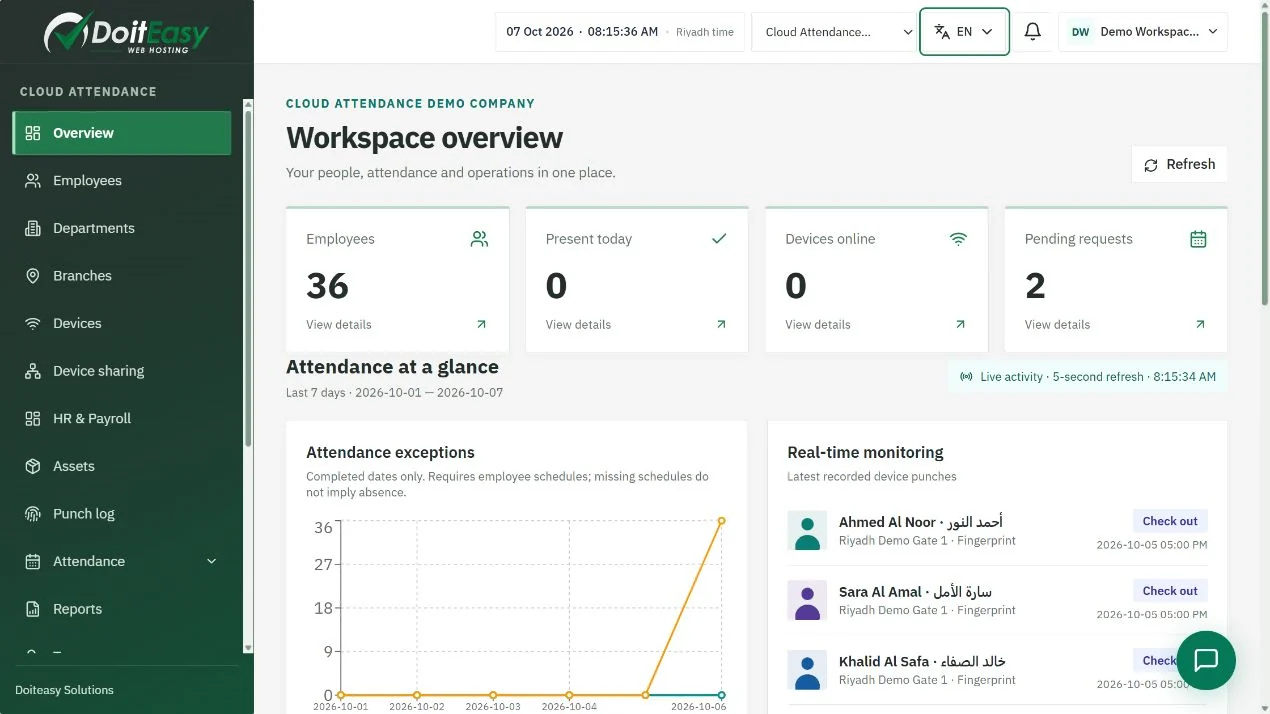
Set the company timezone to Africa/Cairo so attendance follows local dates and time changes. Keep separate branches and departments, define working days and breaks, and review multiple recorded periods in the same day. Start with one branch and compare device records against the daily report before expanding.
Availability depends on your plan, enabled modules and account permissions. Payroll records support your review process; they do not replace local professional review.
Connect compatible ZKTeco ADMS/PUSH devices, link device profiles to employee IDs and follow activity across branches. Confirm the model, firmware and secure connection settings before rollout.
Explore this serviceReview clock-in and clock-out periods, recorded breaks and weekly or monthly hours. Incomplete punches stay visible for review; an open period does not become confirmed working time.
Explore this serviceGive employees a bilingual portal for available requests and personal records. Company managers choose which services are enabled, while request history and assigned review tasks remain accessible.
Explore this serviceWith the HR and payroll add-on, keep employee pay inputs together, review adjustments and publish payslips. Configure currency and company rules, and have your payroll team validate the results before payment.
Explore this serviceTrack inventory, employee handovers, acceptance and returns with the assets module. Keep the custodian and the item history clear when employees change branches or leave the company.
Explore this serviceSeparate company workspaces and assign role-based permissions. Use account security settings and two-factor authentication, and keep employee information inside authenticated company and employee portals.
Explore this serviceList employees, branches, departments, devices and the reviewers for each request.
Configure one compatible device, match employee IDs and verify clock-in and clock-out records.
Review your pilot reports, train managers and employees, then enable the modules and services you need.
Compatibility depends on the device model, ADMS/PUSH support, firmware and network settings. Use the connection tutorial and confirm these details with the team before buying or changing a device.
Yes. Public tutorials, service profiles, user guides and the company and employee interfaces support Arabic and English. The service profile and user guide have separate PDF downloads for each language.
No. Document and government-related fields are company-managed records unless a specific supported integration is explicitly documented. Confirm your local payroll and employment requirements with the responsible specialists.
Compare plans by employee, branch and device needs, then confirm the HR, payroll and assets modules you require. Use the contact form to discuss your devices, workflow and rollout; current prices are confirmed at checkout.